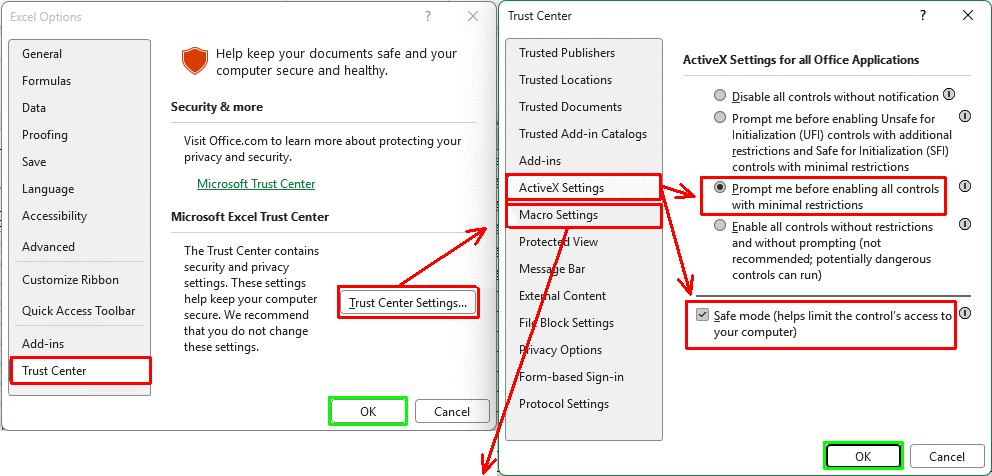
Excel 2024 and Excel 365 (desktop) have introduced an extra layer of security for Active-X functionality that might need to be changed in order to allow controllers like buttons and checkboxes to work.
If controllers do not work then adjust the security setting. In the Excel menu select File:Options and make the setting according to the picture below.
With this setting applied you will need to approve
Active-X controlls to run each time you open the program. There is no
security risk to allow Excel using Active-X in Bimotion programs.
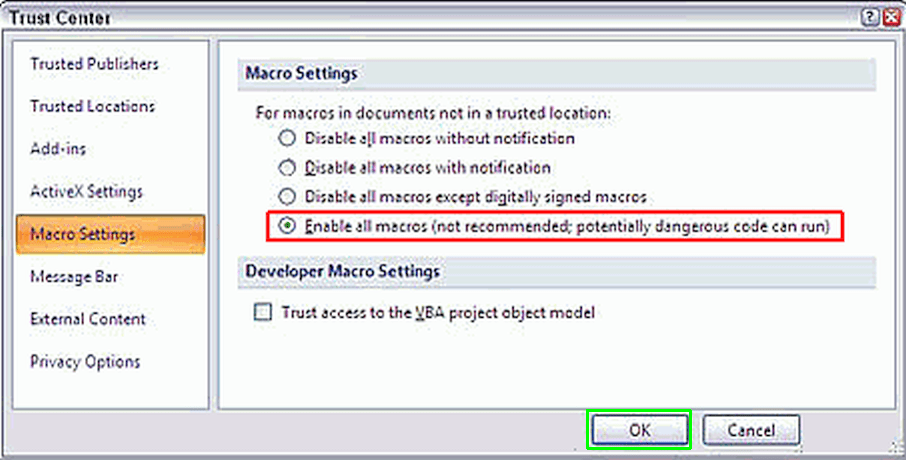
Also, in Excel 2007 and later versions, adjust the Macro Setting to allow for VBA code, otherwise the progam will not work. There is no dangerous code in Bimotion programs.